Word Search: Word Find
Puzzle CatsWord
4.8634.00 Reviews
- Version
- 8.1
- Installs
- 500.00K
- Age Rating
- Everyone
Screenshots
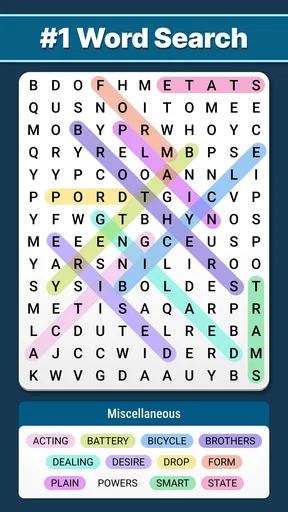
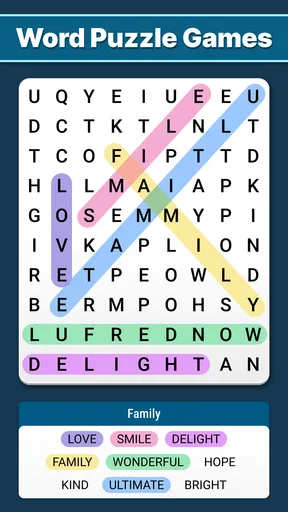
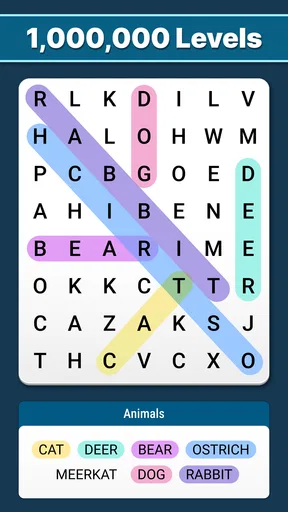
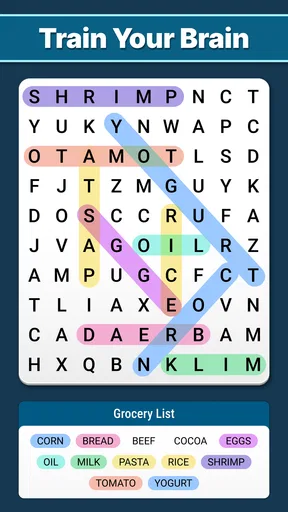
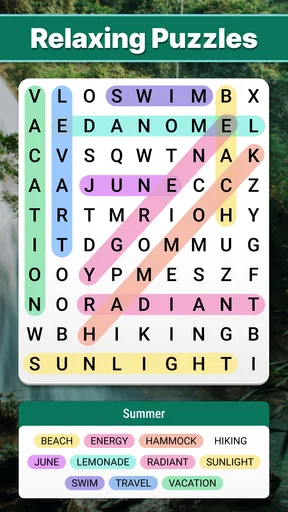
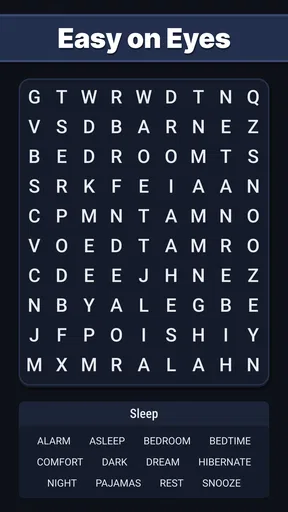
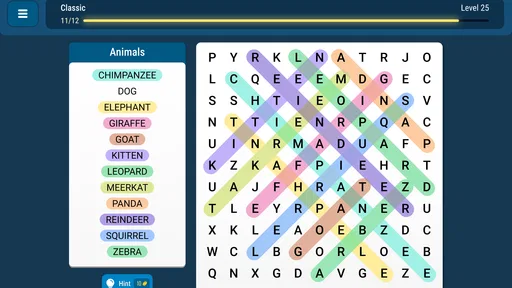
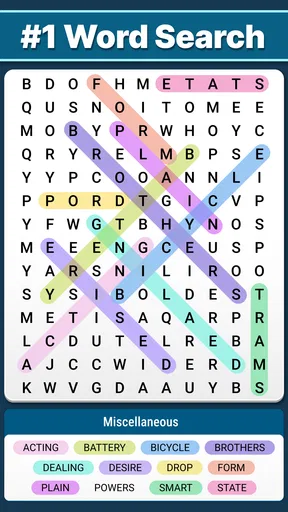
Our Review of Word Search: Word Find
 Analysis by Appyee
I reach for Word Search: Word Find when I want a quiet puzzle rather than a game that demands constant attention. It is a classic word-search game from Puzzle Cats, built around finding listed words in a grid. That simple idea makes it easy to start during a short break, but the real appeal is how naturally it fits into a repeatable daily routine.
My first impression is that this is a focused word game, not a broad collection of unrelated modes. You look through the puzzle, scan for the target words, and mark them as you go. There is no complicated rule set to learn, so the challenge comes from observation, concentration, and resisting the temptation to search randomly.
The game is free to download and is suitable for everyone. It runs on Android devices using version 6.0 or later, while the current release is version 8.1. Puzzle Cats has kept the basic experience accessible, which helps explain why the game has passed half a million installs and holds an average rating of 4.8 from roughly fifteen thousand ratings.
How I use the basic puzzle workflow
I start each puzzle by choosing a search order rather than sweeping the grid at random: distinctive or longer words first, then the less obvious ones. That keeps the word list from competing for my attention and gives me a practical way to pause and resume a short session. Next, I’ll look at how a steady routine affects the experience over time.
Starting with a deliberate scan
I get better results when I do not immediately drag across the first letters that look familiar. I begin by checking the word list and looking for unusual combinations, such as a word with a rare letter or an awkward sequence. Those clues are easier to spot than common short words, and finding one gives me a useful reference point for the rest of the grid.
After that, I scan in a fixed order. I usually check horizontal lines first, then vertical lines, followed by diagonals and reversed words. The exact order is less important than using the same order every time. A consistent path prevents me from repeatedly examining the same area while overlooking an edge or corner.
This habit is especially useful on a phone, where the grid can feel visually dense. Instead of trying to hold the entire board in my head, I divide it into sections and move through them. I also pay attention to the first letter of a target word rather than reading every line from left to right. That small change makes longer lists feel more manageable.
Making short sessions work
A realistic use case is a few minutes before an appointment or while taking a break from work. I can open the game, solve part of a puzzle, and stop without needing to remember a complicated story or a chain of objectives. That makes it more convenient than many larger puzzle games when I only have one hand free or limited attention.
For a calmer session, I avoid treating every puzzle like a speed test. I look for obvious words first, then slow down for the remaining ones. The final few targets are often the most satisfying because they force me to inspect spaces that my first pass ignored.
There is also a useful concentration exercise hidden in this routine. I try to search for one target without mentally repeating the whole list. Once I find it, I move on immediately instead of continuing to stare at the same region. This keeps the process tidy and reduces the feeling that the grid is becoming noisy.
What the game does well for beginners
The familiar format is the biggest advantage. Anyone who has played a printed word search can understand the central interaction almost immediately. That makes it a good choice for casual players, older family members who prefer straightforward puzzles, or someone looking for a gentle way to spend a few idle minutes.
It also avoids the learning curve found in word games based on anagrams, spelling battles, or timed vocabulary challenges. You do not need to build words from tiles or compete with another player. The focus stays on locating words, so the game rewards patience more than specialist knowledge.
That simplicity is also a boundary. If you want a large variety of puzzle mechanics, a narrative campaign, or a competitive leaderboard-driven experience, this will probably feel narrow. Its strength is concentration within one familiar format, not variety.
Settings I would check before settling in
Before playing regularly, I recommend looking through the available settings rather than assuming the default arrangement is ideal. On a word-search game, small presentation choices can affect comfort more than people expect. Check whether the game offers controls for sound, notifications, visual presentation, or other basic preferences, and adjust only what is actually available on your device.
I prefer reducing distractions when I am using the game as a short focus exercise. If sound becomes repetitive or interrupts the environment around me, I turn it down. In a quiet room, I may leave it on, but I would not consider audio essential to understanding the puzzle.
Screen comfort matters too. I play with the phone at a steady angle and use a brightness level that keeps the letters clear without making the display tiring. This is not a hidden trick, but it has a practical effect: eye strain can make a simple grid feel harder than it really is.
It is also worth checking the purchase prompts with care. The game is free, but optional in-app purchases range from $0.99 to $49.99 per item. I would not buy anything simply because a puzzle becomes difficult. First, I would decide whether the assistance or extra convenience genuinely improves my way of playing. For a casual user, the free experience may be enough; for someone who plays every day, the value depends on how often those optional purchases are used.
Building a repeatable search pattern
Experienced word-search players usually improve through routine rather than a single clever shortcut. My preferred pattern starts with the longest or most distinctive target, then moves to words that share its opening letters. If I find one long word, I inspect the surrounding letters for another target that may overlap it. Overlapping words are not a problem; they are often an opportunity to reduce the amount of grid I need to inspect.
I also use directional anchors. When I see a promising first letter, I check all permitted directions from that point instead of following just one line. This is faster than scanning the entire board repeatedly, especially when the same letter appears many times.
Another useful habit is to postpone very common short words. A two- or three-letter target can appear in many places, so hunting it first often creates unnecessary work. I leave it until longer targets are removed from the list. With fewer words competing for my attention, the short one is easier to confirm.
When I am stuck, I change the unit of attention. Rather than looking for the whole word, I search for a distinctive pair of letters, then extend outward in both directions. This is particularly helpful when the grid contains many similar-looking lines. It turns a vague visual search into a smaller verification task.
Using the phone interface carefully
Touch accuracy can affect the experience more than the puzzle itself. I place my finger at the first letter and drag steadily toward the final letter, avoiding sudden changes in direction. If I move too quickly, I am more likely to start or finish one position away from where I intended.
For longer words, I try to keep the drag path straight and use the center of each letter cell as a visual guide. On a smaller screen, I sometimes rotate the phone or adjust my grip before beginning a difficult selection. That is a simple physical adjustment, but it prevents frustration caused by repeatedly missing the same endpoint.
I would not recommend playing while walking or doing another task. The grid needs sustained visual attention, and divided attention makes the game slower rather than more relaxing. This is best treated as a small focus activity, not something to operate casually in unsafe surroundings.
Where the challenge becomes more demanding
The early puzzles are approachable because the rules are familiar, but word searches become less comfortable when the board contains many possible directions and crowded letter patterns. At that point, random scanning stops being efficient. A fixed route through the grid becomes essential.
I divide the board into horizontal bands and inspect each band for candidate starting letters. Once I have checked a band, I move on rather than returning to it every few seconds. If a target remains, I revisit only after the rest of the board has been covered. This two-pass method balances speed with accuracy.
I also keep the unsolved list visible in my mind by grouping words by their first letter or length. I do not need to memorize every target perfectly; I only need a small set of likely candidates while scanning one section. That reduces mental switching and makes the puzzle feel less cluttered.
One trade-off is that a systematic approach can feel less spontaneous. If I am playing purely to relax, I may ignore efficiency and follow whatever word catches my eye. If I am trying to finish a puzzle cleanly, the structured method is better. The right approach depends on whether the session is about calm or performance.
Limitations that experienced users should understand
The focused design will not satisfy everyone. There is no reason to choose this game if your main goal is a deep vocabulary lesson, a competitive multiplayer match, or a story with character progression. A crossword may be better for clues and general knowledge, while an anagram game may provide more active word construction. A paper word-search book may also suit someone who wants a screen-free experience.
Even within the word-search category, players who need extensive customization should investigate the interface carefully before committing to long sessions. The essential activity is clear, but the enjoyment depends on whether the available presentation and control options match your eyesight, preferred pace, and tolerance for interruptions.
The free-to-play structure is another consideration. Optional purchases can be reasonable for committed players, but they may feel unnecessary to someone who only opens the game occasionally. I would treat the purchase system as a convenience layer rather than part of the core reason to install it.
Because the game is designed for everyone, it is approachable rather than specialized. That is positive for accessibility of the rules, but players looking for extreme difficulty or a highly technical word challenge may eventually want something more demanding. This is a relaxing puzzle game first, not a test of advanced vocabulary.
Who will get the most from it
I would recommend it to people who enjoy quiet, self-paced puzzles and want something they can start without preparation. It works particularly well for short breaks, winding down before bed, or creating a small daily concentration habit. The absence of complicated systems makes it easy to share with someone who does not usually play mobile games.
It can also suit families because the content rating is Everyone and the rules are easy to explain. I would still encourage each player to use a comfortable screen brightness and take breaks during longer sessions, especially when several puzzles are played consecutively.
Daily users should focus on consistency rather than speed. A five-minute routine with a fixed scan pattern can be more rewarding than rushing through several boards and losing interest. I find that setting a modest goal, such as completing one puzzle or finding a certain number of words, keeps the game pleasant instead of turning it into another obligation.
My verdict after making it part of a routine
Word Search: Word Find is at its best when you want a dependable, low-pressure word puzzle. Puzzle Cats has chosen a format that is immediately understandable, and the game’s strong rating and substantial install base reflect how well that straightforward approach works for many players.
I like it most when I use a repeatable method: distinctive words first, fixed scanning directions, short words later, and careful touch movements on difficult selections. Those habits make the experience feel smoother without pretending that the game needs complicated strategy. The satisfaction comes from gradually clearing a crowded grid through attention rather than from unlocking a large system of rewards.
My recommendation is simple. Try the free version if you want a classic word search that fits into small pockets of time and you are comfortable with optional purchase prompts. Skip it if you need competitive play, deep progression, or a wide range of word-game mechanics. For everyone in between, this is a polished enough daily puzzle companion, and its current version 8.1 remains easy to approach on compatible Android devices.
After using it with a consistent routine, I see its value less as an endless challenge and more as a reliable mental reset. It gives me a clear task, a natural stopping point, and enough room to improve my scanning technique. That makes it a sensible recommendation for casual players who want a focused word game without a steep learning curve.
Verdict
Strengths of Word Search: Word Find
- Large word library keeps puzzles varied and replayable.
- Simple controls make it easy to start playing immediately.
- Helpful hints can assist when you are stuck on difficult puzzles.
- Short rounds are convenient for quick breaks or casual play.
- Suitable for a wide range of ages and language skill levels.
Limitations of Word Search: Word Find
- Some puzzles may feel repetitive after extended play sessions.
- Hints can reduce the challenge for players seeking pure difficulty.
- Small letters may be harder to read on compact phone screens.
- Progression may feel limited for experienced word puzzle fans.
- Frequent ads can interrupt the flow in the free version.
Similar Picks in This Category
View All
Word Search - Word Puzzle Game
Bluetile4.8

Word Search Quest - Puzzles
Blackout Lab4.8

CodyCross: Crossword Puzzles
Fanatee, Inc.4.7

Words of Wonders: Crossword
Fugo Games4.9

Wordscapes: Word puzzle game
PeopleFun4.7

Word Search Explorer
PlaySimple Games4.9
Frequently Asked Questions
What is Word Search: Word Find?
Word Search: Word Find is a puzzle game built around the classic word-search format. Players look through a grid of letters to locate hidden words listed on the screen. It is designed for short or extended play sessions and generally becomes more challenging as you progress through different puzzles, themes, or difficulty levels. The straightforward gameplay makes it suitable for casual players, families, and anyone who enjoys vocabulary-based brain games.
How do you play Word Search: Word Find?
To play, select a puzzle and examine the letter grid for the words shown in the target list. When you spot a word, swipe across its letters in the correct direction to highlight it. Words may appear horizontally, vertically, diagonally, and sometimes backward, depending on the puzzle settings. Completed words are usually marked automatically, allowing you to concentrate on finding the remaining entries without needing complicated controls.
Does Word Search: Word Find work offline?
Many word-search puzzles can usually be played without a constant internet connection, which makes the game convenient for travel, commuting, or areas with limited service. However, certain features may still require connectivity, including advertisements, cloud synchronization, online events, updates, or optional purchases. It is best to open the game once while connected and check which modes remain available after switching your device to offline mode.
Is Word Search: Word Find free to download and play?
Word Search: Word Find is generally available as a free download, but the exact business model can depend on the Android or iOS version. Free gameplay may be supported by advertisements, while optional purchases can remove ads or unlock additional content. Before downloading, review the store listing for in-app purchase information, and remember that deleting the app may not automatically cancel any active subscription.
Is Word Search: Word Find suitable for children and language learners?
The game can be a useful choice for children and language learners because it encourages spelling recognition, visual scanning, concentration, and vocabulary practice. Its suitability depends on the available word lists, language options, advertising, and difficulty settings. Parents should review the app’s age rating and privacy details before installation, especially if a child will use the device independently or access features involving purchases or external links.
Play our best games!


